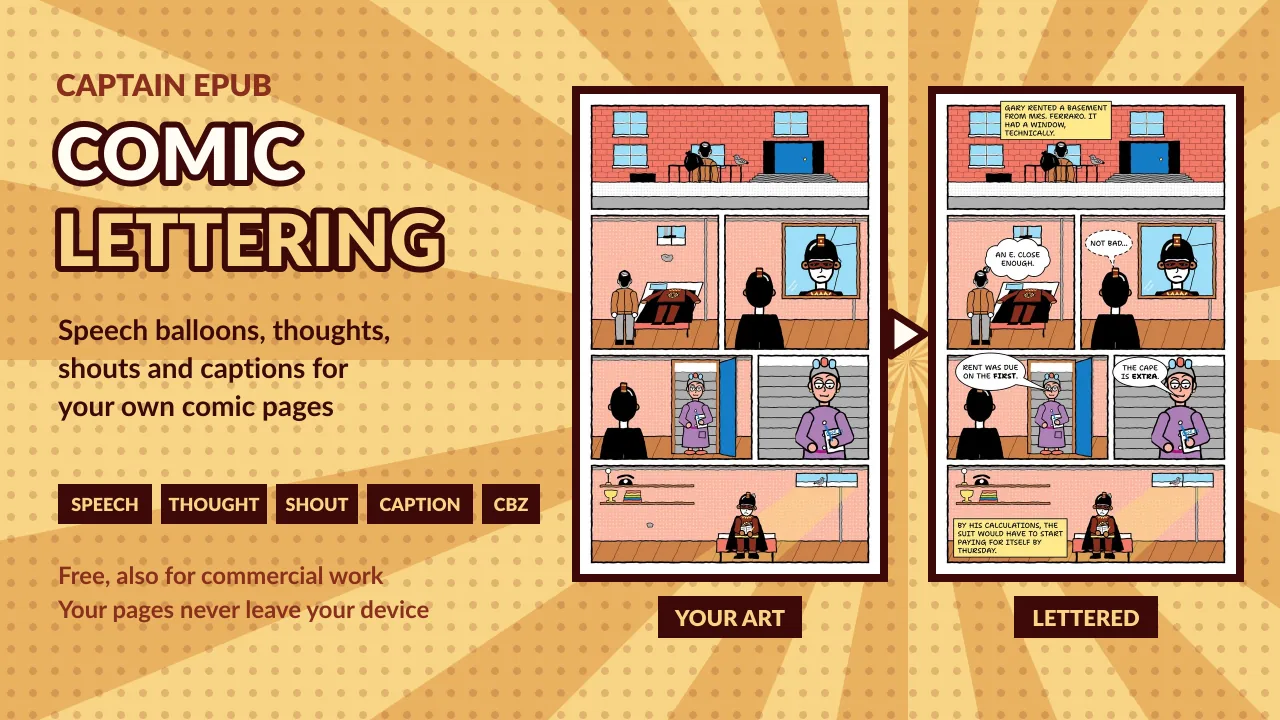
Speech bubble makers are made for memes
Most free speech bubble makers are built for memes: one photo at a time, small images, and often a paid plan before you can sell what you make. Lettering a comic is a different job: dozens of balloons on pages thousands of pixels tall, the same look on every page, and a comic you can publish when you're done.
The Comic Lettering Tool is made for that job, and it's free for commercial work: what you export is yours.
How it works
- Add your pages: JPEG, PNG or WebP, as many as your comic has. Or start with a blank page the size of an ebook page, a US comic book or a manga volume.
- Add a balloon and type. It sizes itself to the text, broken into lines the way a letterer would.
- Drag it into place and drag the red dot to point its tail at whoever speaks.
- Export the page, its lettering, or the whole comic.
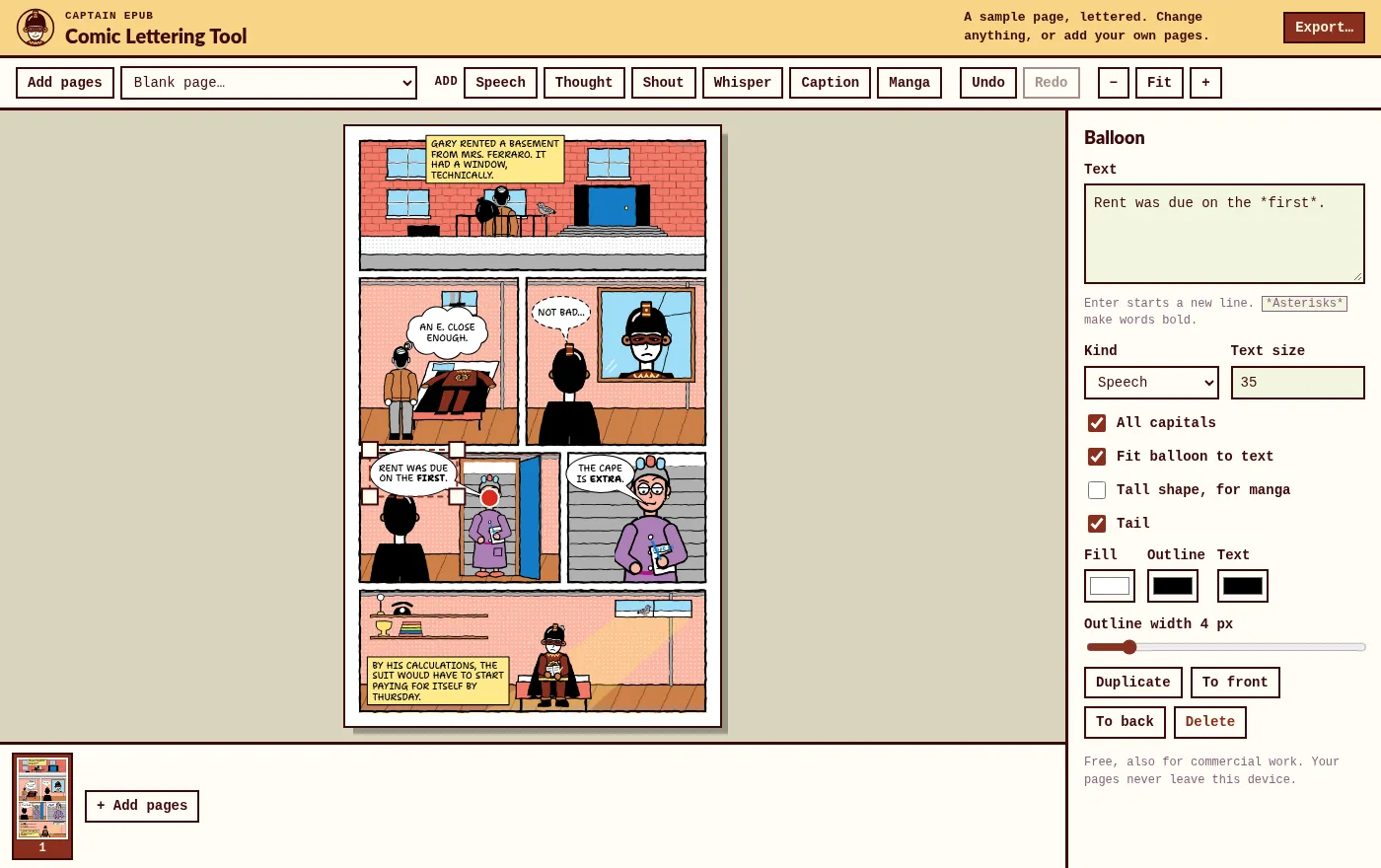
Six kinds of balloons
- Speech: the classic oval, with a tail that's part of the same outline, as a letterer draws it.
- Thought: a cloud, with a trail of shrinking bubbles towards the thinker.
- Shout: a spiky burst with a lightning-bolt tail.
- Whisper: a dashed outline.
- Caption: the narrator's box, yellow unless you choose another color.
- Manga: a tall oval for short, stacked lines. See the manga speech bubble generator.
Lettering that looks lettered
- All capitals by default, as in most comics. Turn them off for any balloon.
- Bold for stress: put
*asterisks*around the words to stress. - The balloon fits the text and grows or shrinks as you type. Or give it a size yourself and the text rewraps inside it, with a warning if it no longer fits.
- Your colors: fill, outline and text, and the outline's width.
- A hand-lettered font: Shantell Sans, under the SIL Open Font License, which allows using it in comics you sell.
Export
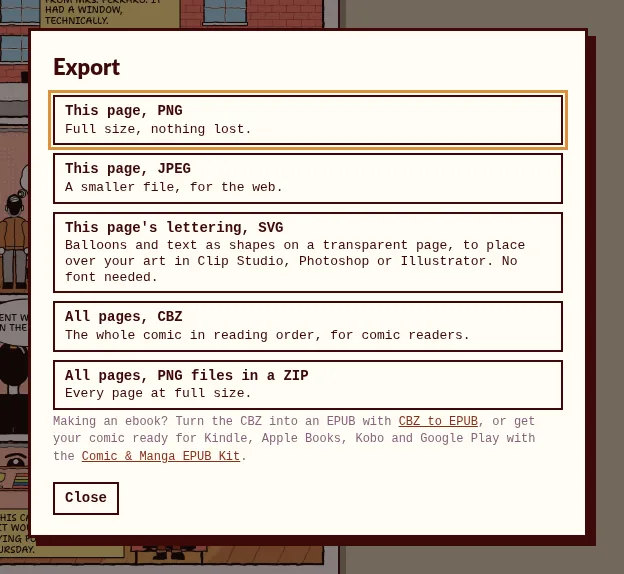
- PNG or JPEG, at the full size of your page.
- The lettering alone, as SVG: balloons and text as shapes on a transparent page the size of your art, to place over it in Clip Studio Paint, Photoshop, Illustrator, Affinity or Inkscape. The text is turned into outlines, so no font is needed where you open it.
- The whole comic as a CBZ, in reading order, with a ComicInfo.xml file (title and reading direction) that comic readers use.
- Every page as a PNG, in a ZIP.
Private and offline
- It runs in your browser on Windows, Mac, Linux and Chromebooks, and on tablets and phones, with your finger. No account and no upload: your pages are read on your device and never leave it.
- Your comic is kept in this browser, pages and balloons, so it's there when you come back. Starting a new comic, or clearing this site's data in your browser, deletes it. Export your pages to keep a copy.
- Installed as an app, it keeps working without an internet connection.
Install it as an app
You can use the tool in a browser tab, or install it: it gets its own window and icon, and works offline.
- Chrome or Edge, on a computer: click Install app at the top of the tool, or the install icon at the right of the address bar.
- Safari on a Mac (macOS Sonoma or later): open the tool and choose File > Add to Dock.
- Android: open the tool in Chrome, then the ⋮ menu > Install app or Add to home screen.
- iPhone and iPad: open the tool in Safari, then Share > Add to Home Screen.
- Firefox: it can't install apps on a computer, but the tool works the same in a tab.
Five lettering tips
- Place balloons in reading order. Whoever speaks first gets the balloon higher up and further left (further right in manga).
- Point the tail at the mouth, not the body, and keep it short.
- Cover background, not faces or hands. Leave room for balloons when you draw the panel.
- Keep balloons short. Split a long speech into two balloons.
- Stress words with bold, not capitals: the text is in capitals already.
From lettered pages to an ebook
Export your comic as a CBZ, then turn it into an EPUB for your e-reader with the free CBZ to EPUB converter. To sell it on Kindle, Apple Books, Kobo and Google Play, the Comic & Manga EPUB Kit turns your pages into a store-ready ebook. Scanning an old comic instead? Comic Scan Cleaner straightens, crops and whitens the scans.
Frequently asked questions
Can I sell comics I letter with it?
Yes. It's free, with no account, no watermark and no paid plan, and what you export is yours to publish and sell. The font's license allows that too.
Can I use my own font?
Not for now: it letters with Shantell Sans, a free font drawn to look hand-lettered.
Does it work for manga?
Yes: tall manga balloons, and comics that read from right to left, page order and CBZ included. See the manga speech bubble generator.
Where are my pages stored?
In your browser, on your device. Nothing is uploaded. If you clear this site's data, or start a new comic in the tool, they're gone from the browser, so export what you want to keep.
What is the SVG export for?
For lettering in a separate layer. Open the SVG in your drawing program over your art: the balloons and text stay sharp at any size, and you can still move or recolor them there.
Can it remove the text already on a page?
No, it adds lettering on top. A balloon is filled white by default, so it covers whatever is under it.
Letter your pages now
Free, also for commercial work, in your browser. Your pages never leave your device.
Open the lettering tool