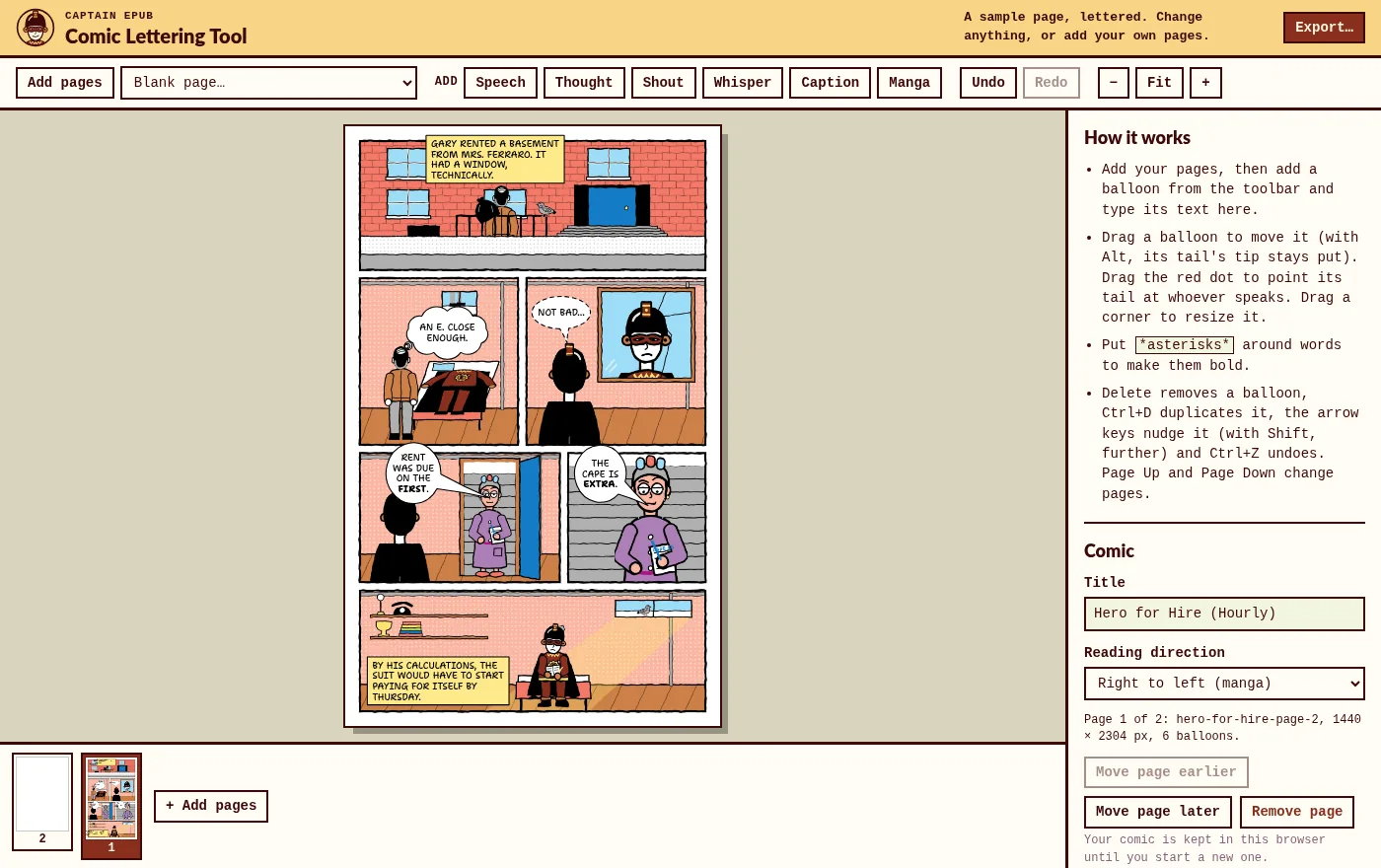
Manga balloons are tall
Japanese manga is lettered in vertical columns, so its balloons are tall ovals. Translated and English-language manga keep that shape: the text goes in short, centered lines, one above the other, usually in capitals.
The Manga balloon does that for you. Type the line and it stacks the words into a tall oval that fits them, with a tail you point at whoever speaks. Make the text bigger or smaller and the balloon follows.
Right to left, page by page
- Pages in manga order. The strip of pages shows page 1 on the right, as in the book.
- A CBZ that opens from the right. Its ComicInfo.xml marks the reading direction, so comic readers turn the pages the right way, and the free CBZ to EPUB converter keeps it in the EPUB.
- Ready for the stores. To sell your manga on Kindle, Apple Books, Kobo and Google Play, the Comic & Manga EPUB Kit makes a right-to-left ebook with spreads on the correct sides.
How to letter a manga page
- Add your pages, or a blank page the size of a manga volume (B6).
- Add a Manga balloon and type the line.
- Place it near the speaker, starting from the top right: manga panels and balloons are read from right to left.
- Add thoughts, shouts and captions where the scene needs them. Any balloon can be made tall.
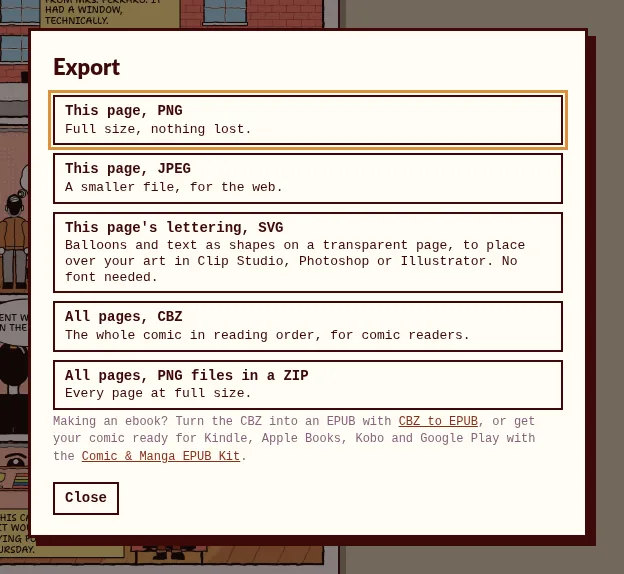
- Export the page, its lettering as SVG, or the whole volume as a CBZ.
For translators
Letter your translation over the original: a balloon is filled white, so it covers the text under it. Tall balloons keep the shape of the originals, and the SVG export gives you the lettering as a separate layer for your drawing program. Use it on manga you have the rights to translate.
Also for anime screenshots and fan art
The same tall balloons work on a single picture: open the image, add a balloon, and export a PNG at full size.
What it won't do
- Set vertical Japanese text. It letters in English, Spanish, French and other languages written in the Latin alphabet.
- Erase the text already on a page. A balloon covers it instead.
Frequently asked questions
Is it really free?
Yes. No account, no watermark and no paid plan, also for manga you sell.
Can I letter western comics with it too?
Yes, it's the same tool: see the Comic Lettering Tool. Switch the reading direction to left to right in the panel of your comic.
Does it work on a phone or tablet?
Yes, with your finger. A computer is easier for a whole volume.
Where are my pages stored?
In your browser, on your device, until you start a new comic. Nothing is uploaded.
Letter your manga now
Free, also for commercial work, in your browser. Your pages never leave your device.
Open the generator