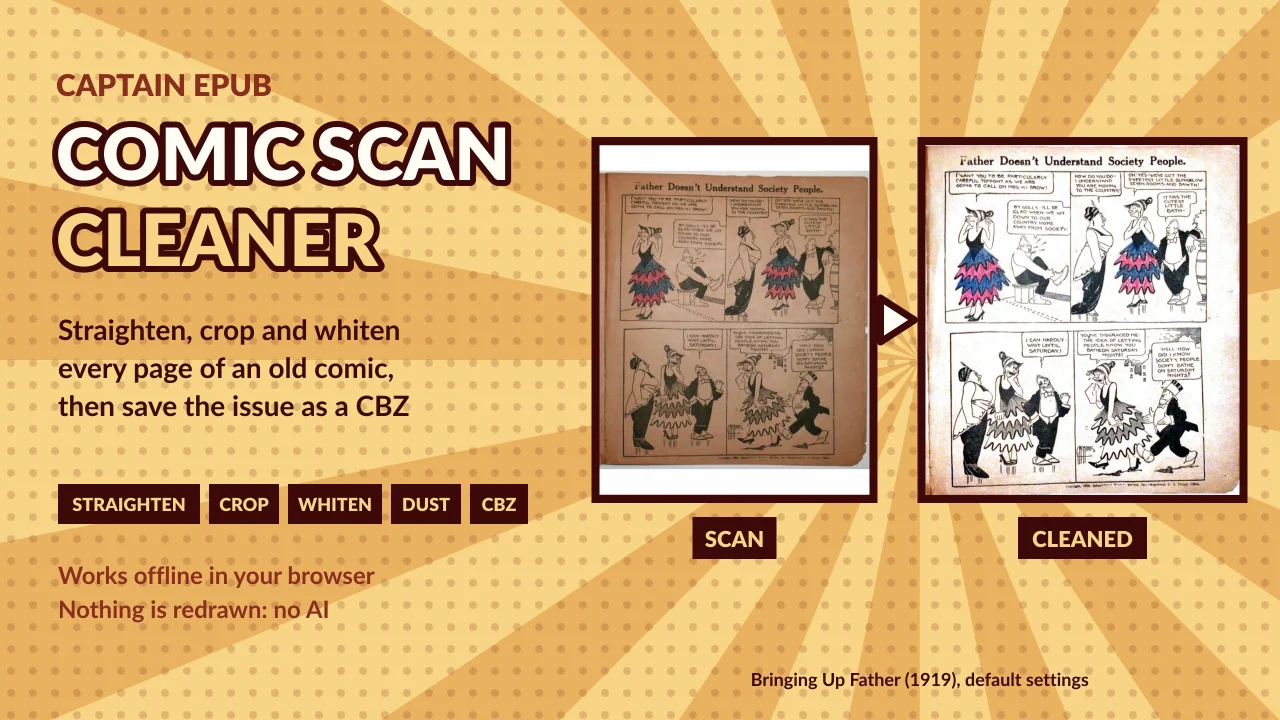
Cleaning scans by hand takes hours
You scanned an old comic. Every page is a little crooked, the scanner lid shows around it, the paper is yellow or brown, and there are dust specks everywhere. Fixing that in Photoshop or GIMP means the same steps on every page, for every issue.
Comic Scan Cleaner cleans the whole issue at once, with the same settings for every page, and tells you what it did to each one.
Before and after
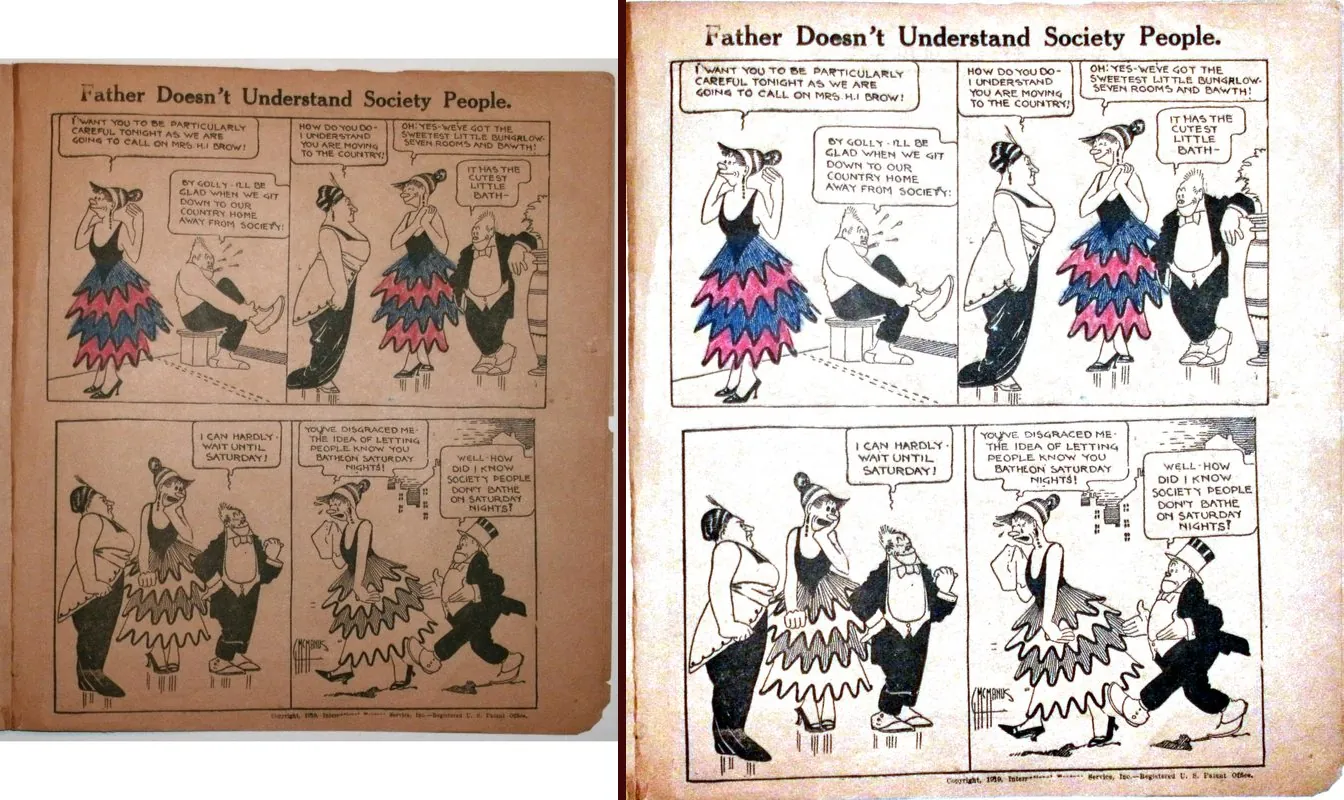
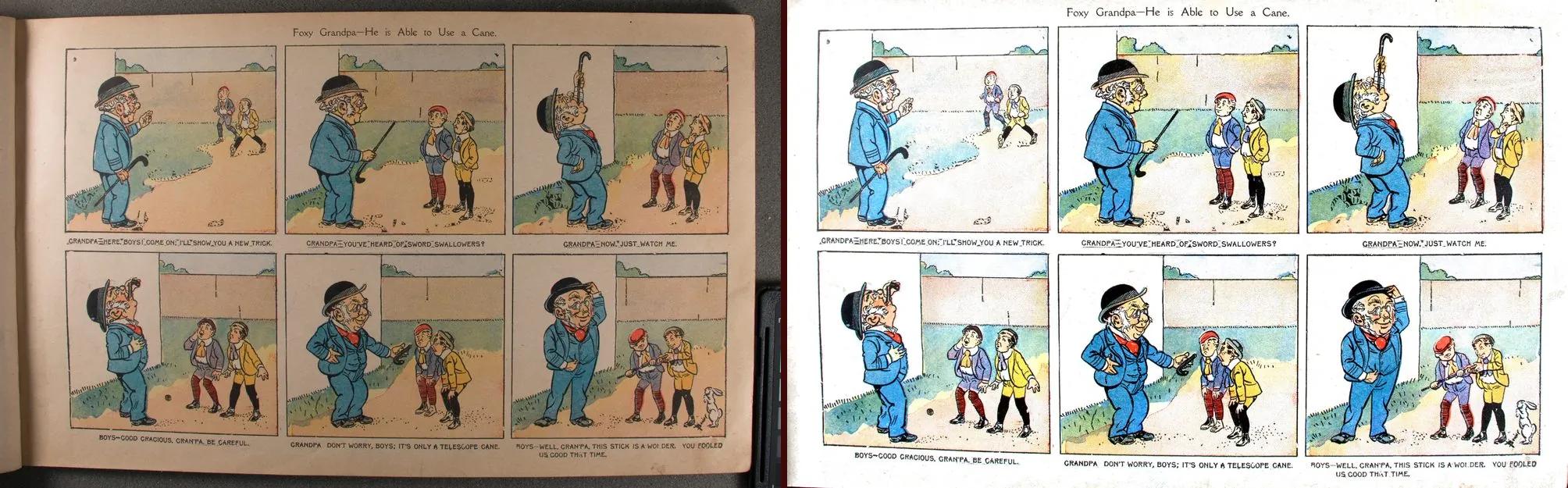
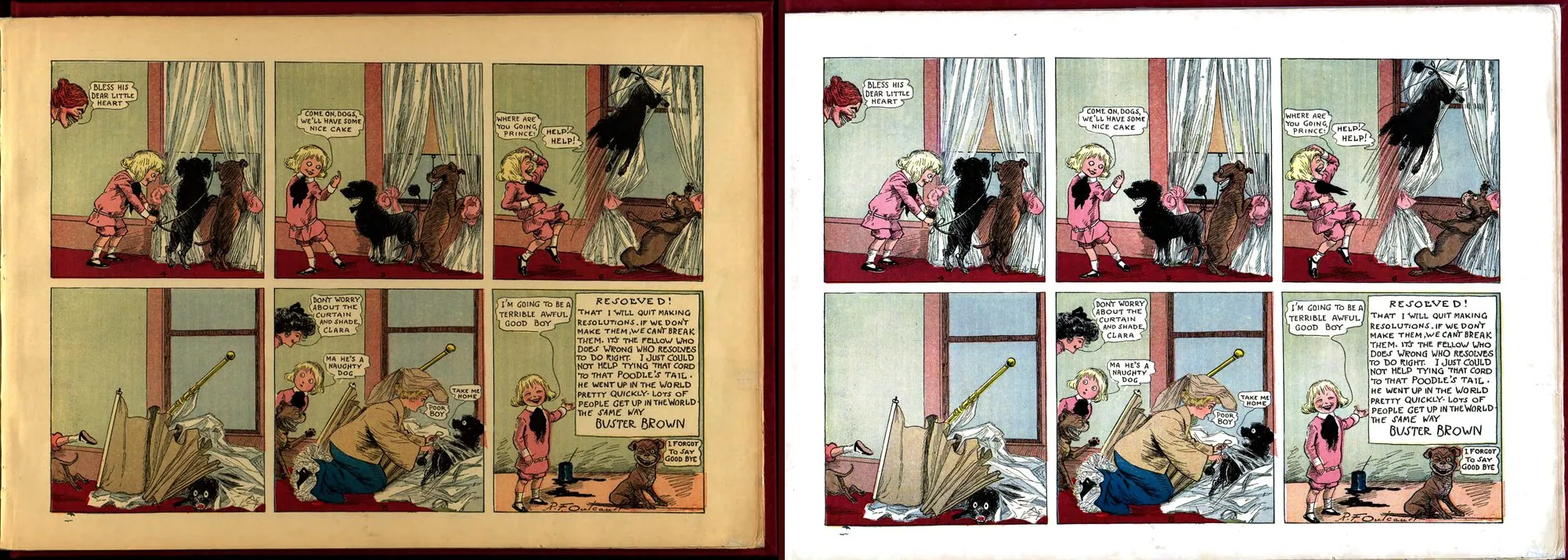
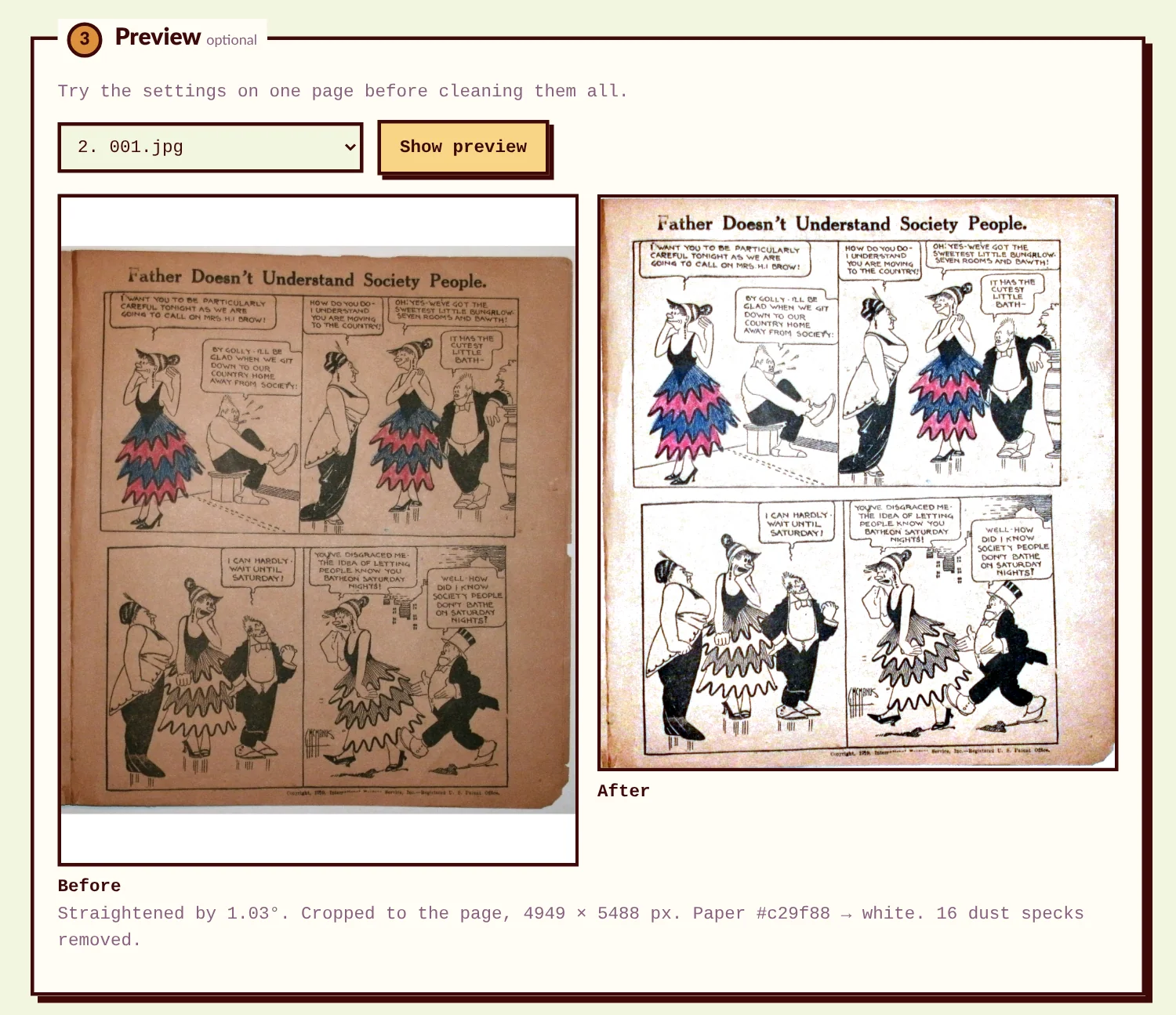
Real scans of public-domain comics from Internet Archive, cleaned with the default settings. On the left the scan, on the right the cleaned page. The step-by-step tutorial has two of them to download, before and after.
How it works
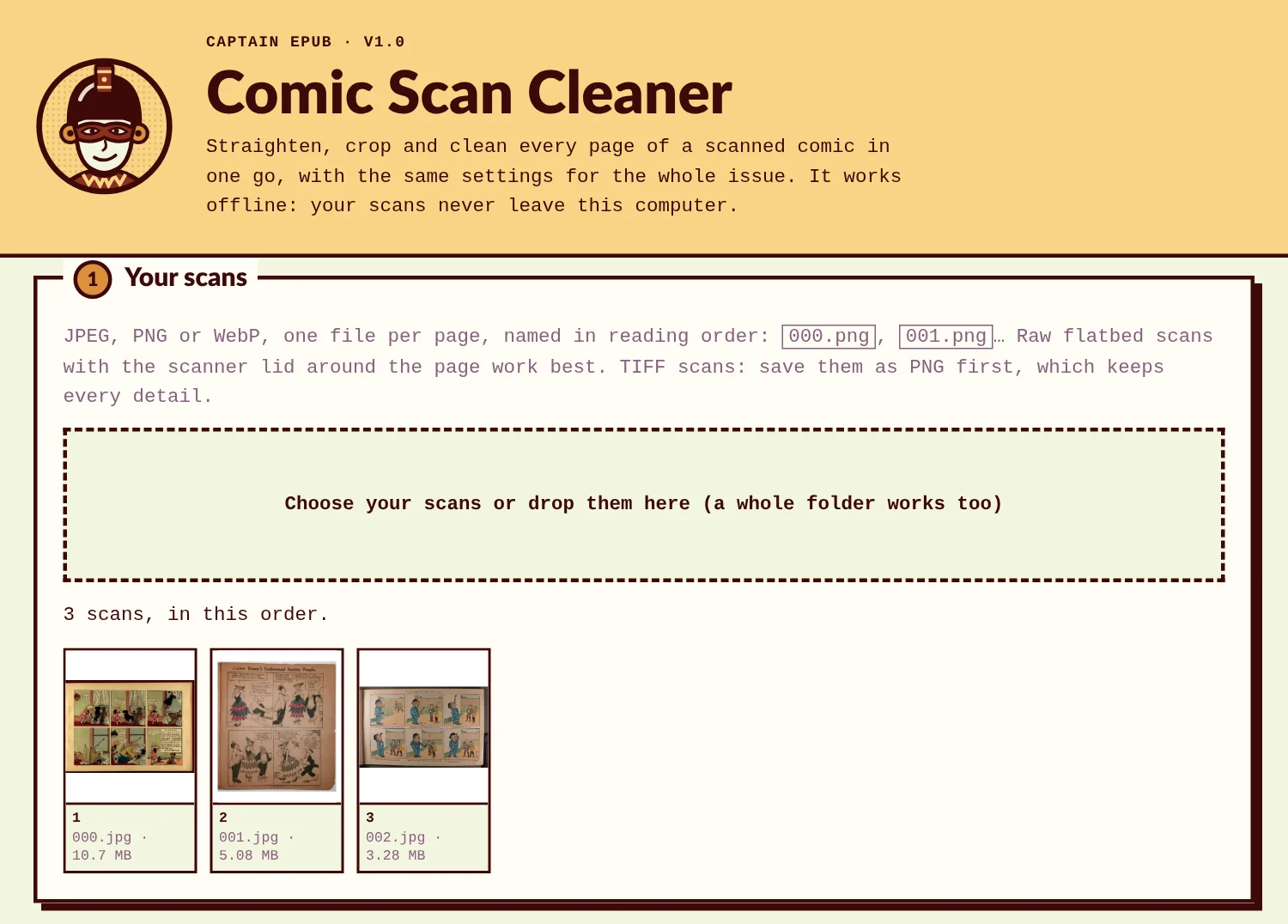
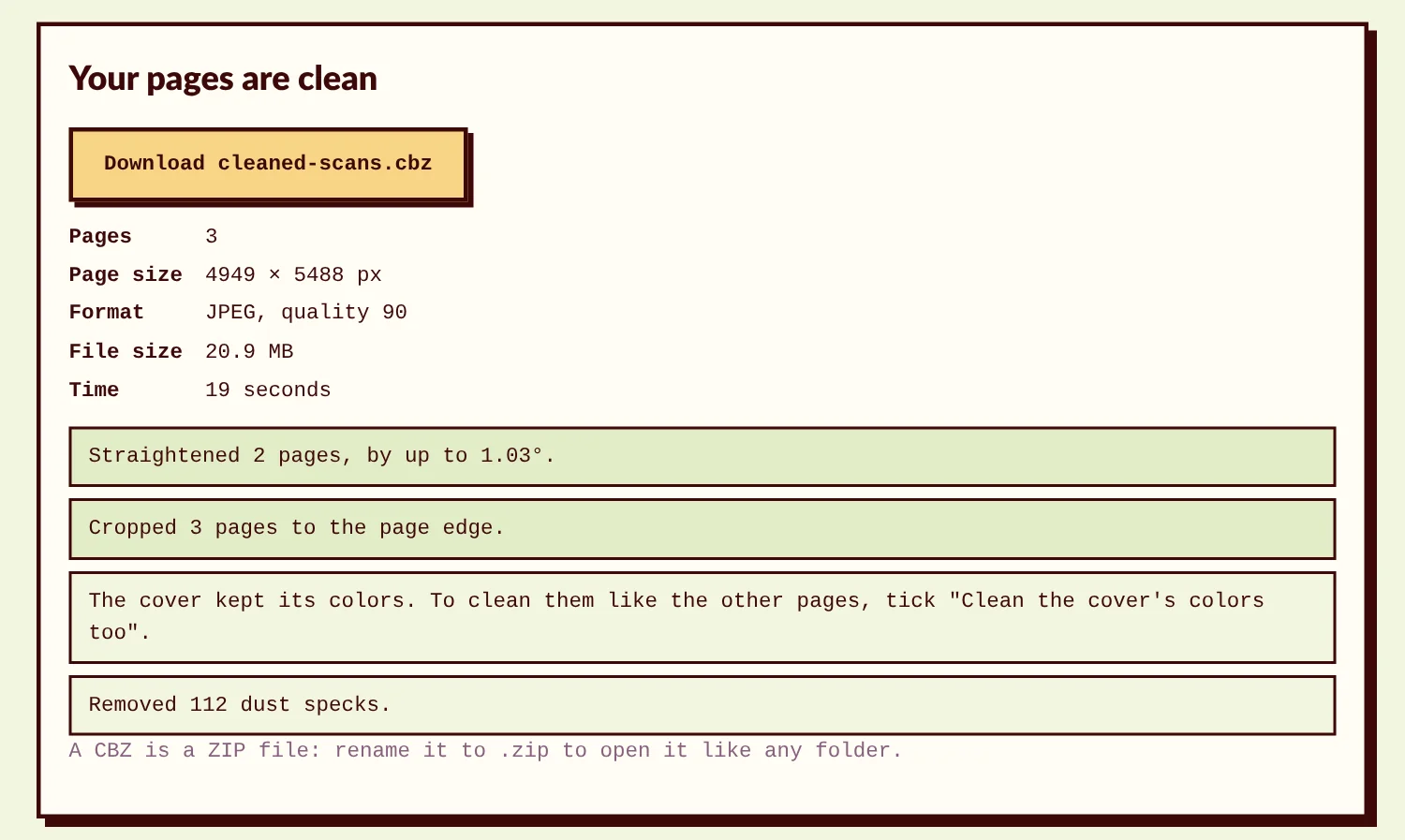
Open the cleaner in your browser, choose the scans of an issue, check one page, and clean them all. The tutorial goes through every step.
What it does
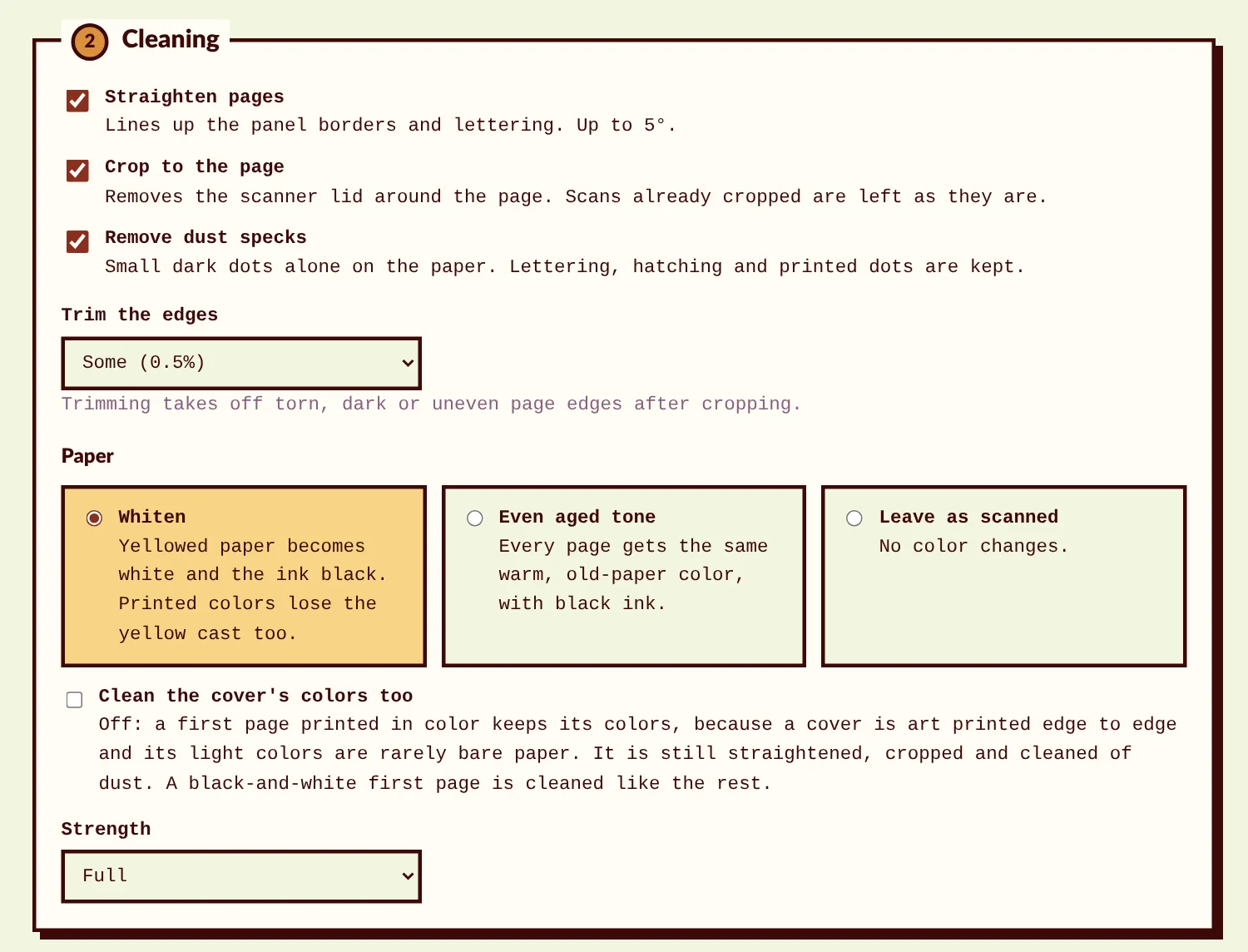
- Straightens each page by lining up the panel borders and the lettering, up to 5°.
- Crops to the page when the scanner lid or a backing sheet shows around it, and cuts the shadow bands along the edges. In photos of an open book, the dark background and the spine's fold go too. Scans that are already cropped are left alone, so your margins are safe.
- Whitens yellowed paper and makes the ink black. The paper is measured zone by zone, because old paper is rarely the same color all over. Prefer the old look? Give every page the same aged tone, or leave the colors as scanned.
- Keeps printed colors: they lose the yellow of the paper, not their color. A cover printed in color keeps its look.
- Removes dust specks on the paper, and keeps the lettering, hatching and halftone dots.
- Makes every page the same size. Two-page spreads keep their shape.
- Saves a CBZ, with a ComicInfo.xml file (series, number, year, publisher, story title and who scanned it) that comic readers use.
Private and offline, with no AI
- One HTML file that runs in your browser on Windows, Mac and Linux. No install, no account, no upload: your scans never leave your computer.
- It uses classic image processing: it measures each page and corrects it, and never invents or redraws anything. The same scans with the same settings get the same decisions every time.
Tested on real scans
Tested on 64 pages from 8 public-domain comics from 1904 to 1946: flatbed scans with the scanner lid showing, photos of open books, browned and yellowed paper, color and black-and-white. With the default settings, about 4 in 5 pages were ready to upload as they came out, and none came out worse than the scan.
What it won't do
- Repair tears, missing corners or stains over the art. Light stains on bare paper even out with the rest of the paper.
- Flatten the curved lines near the spine of a book photographed open.
- Whiten paper that browns much more at the edges than in the middle: the margins stay a little warm. "Trim the edges" and "Even aged tone" are there for those pages.
Who it's for
- People who scan old comics for Comic Book Plus, the Digital Comic Museum or Internet Archive.
- Collectors digitizing their own comics.
What you need
- Your scans: JPEG, PNG or WebP, one file per page. TIFF scans: save them as PNG first.
- A computer with Chrome, Edge, Firefox or Safari.
Making your own comic instead?
To publish new comic or manga pages as an ebook for Kindle, Apple Books, Kobo and Google Play, see the Comic & Manga EPUB Kit. To read a CBZ on your e-reader, the free CBZ to EPUB converter turns it into an EPUB.
Frequently asked questions
Does it use AI?
No. It measures each page (its angle, its edges, the color of the paper and the ink) and corrects it with classic image processing. Nothing is invented or redrawn.
How is it different from Scan Tailor?
Scan Tailor is a free and powerful tool made for book pages. Its default output is pure black and white, and getting comics right means choosing the color mode and checking its crops page by page. Comic Scan Cleaner is made for comics: covers keep their colors, halftone dots survive dust removal, and the default settings work for a whole issue.
My scans are in a PDF.
Take the images out first, for example with pdfimages (free, from Poppler) or your PDF editor's export.
Is it a subscription?
No. One payment, and you keep the file.
Can I share or sell the pages I clean?
Yes, as far as the rights to the comics allow. Please don't share or resell the cleaner itself.